Show Navigation
|
Hide Navigation
Appending and joining parcel data from XML files |
|
|
Release 9.2
Last modified August 23, 2007 |


|
Related Topics
About appending parcel data from XML files
Parcel data can be appended to an open cadastral fabric job from cadastral fabric Extensible Markup Language (XML) files. Appending parcel data to a cadastral fabric job is the equivalent of a digital submission of parcel data to the cadastral fabric.
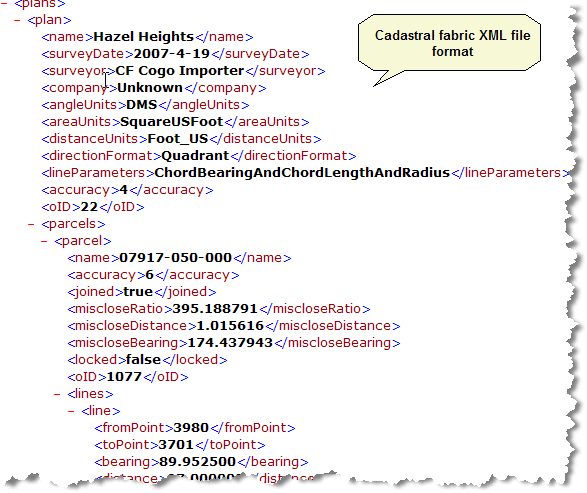
Cadastral fabric XML file format
The cadastral fabric XML file format is the same format as the cadastral fabric job XML file.
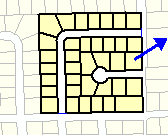
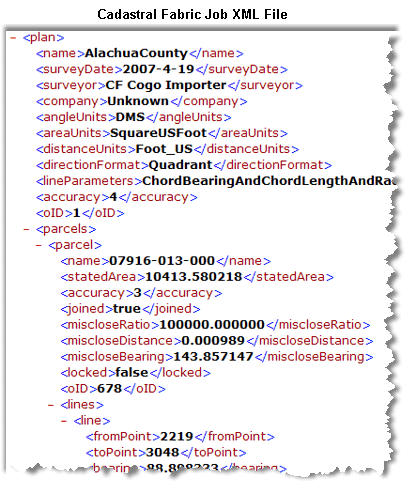
You can view a cadastral fabric job XML file if you create a CadastralEditLogs folder underneath your \ArcGIS\ directory.
The cadastral fabric XML file format reflects the cadastral fabric data model.

In the cadastral fabric data model, plans contain parcels, which are comprised of a sequence of lines. This data heirachy is reflected in the cadastral fabric xml file format. Parcels are listed under their associated plan, and each line entry is listed under its related parcel entry. Cadastral fabric points exist independently of plans in the cadastral fabric as they can be common across many plans. Cadastral fabric points are thus represented as stand-alone entries in the xml file format.
In the header information in the cadastral fabric xml file, there is a Units tag and a Job Parameters tag. The Units tag defines the units used across the entire data file. The units are obtained from the spatial reference header information defined under the Job Parameters tag. The units defined in the Units tag are the units used to represent all data in xml file, regardless of plan units. These are the units in which the data is stored in the geodatabase. Plan units in the xml file are metadata about the plan itself and are the units used for data entry and display when working in the plan.
The esriSpatialReference tag under the JobParameters tag holds metadata about the spatial reference of the xml file. The esri SpatialReference tag defines the coordinate value units, length units and projection information for the xml file or job xml file and is used to project the coordinates in the file to and from the cadastral editor engine and to and from the data frame.
For each object in the Job xml file, there is an <oID> tag that refers to the identifier for the object in the database (object ID) When this value is -1 it indicates that the feature is new within the Job, and does not yet have a database ID. Once the Finish Job command is used, the new features are assigned proper database object IDs.
How to append parcel data from XML files
- In an open cadastral fabric job, click the Cadastral Editor menu on the Cadastral Editor toolbar and click Append file.
- In the Open dialog box, navigate to your cadastral fabric xml file, select it and click Open.
The parcels in the cadastral fabric xml file load as unjoined parcels in the Parcel Explorer. If there are control points in the xml file, the parcels will automatically be joined to the cadastral fabric. - If the parcels load as unjoined parcels, right-click any parcel in the unjoined group of parcels loaded from the xml file and click join.
The entire parcel group loaded from the xml file is floated on the map - Join the parcel group to the parcels in the cadastral fabric job.