Show Navigation
|
Hide Navigation
You are here:
Extensions > PLTS > PLTS for ArcGIS Defense Solution > Working with Defense databases
Extensions > PLTS > PLTS for ArcGIS Defense Solution > Working with Defense databases
Creating a database from a spreadsheet |
|
|
Release 9.3
Last modified January 13, 2009 |


Print all topics in : "Working with Defense databases" |
Related Topics
About creating a database from a spreadsheet
Data model information is commonly provided in an Excel spreadsheet format for MGCP. This is usually not a format accepted in ArcCatalog for data models; they are accepted as Access databases or XML files.
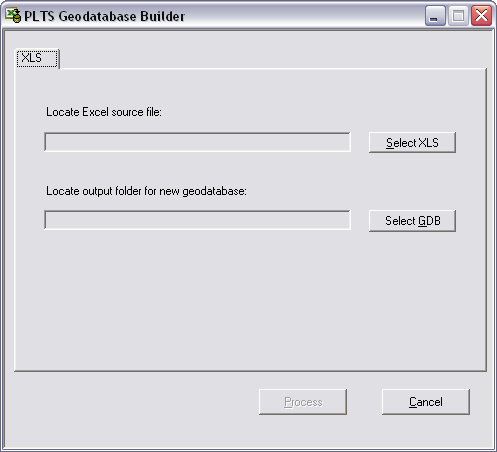
The PLTS Geodatabase Builder allows you to create a personal geodatabase from an Excel spreadsheet. The spreadsheet used with the tool should contain all the required information regarding feature classes, feature datasets, and domains.
Learn more about the Excel files used to create geodatabases.
How to create a database from a spreadsheet
- Start ArcCatalog.
- Click the PLTS GDBBuilder button
 on the PLTS Defense toolbar.
The PLTS Geodatabase Builder dialog box appears. - Click Select XLS.
- Navigate to the Excel file to be used to build your MGCP geodatabase.
- Click Open.
- Click Select GDB.
- Navigate to the geodatabase you want to use with the Excel file.
- Click Save.
The PLTS Geodatabase Builder dialog box appears. - Click Process.
The geodatabase is created using the designated Excel file. - Click OK.
When processing is complete, a message box appears that displays the start and end time.