Editing a pushpin
Release 8
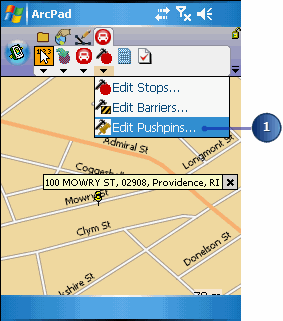
Tap the Edit Locations dropdown arrow and tap Edit Pushpins.
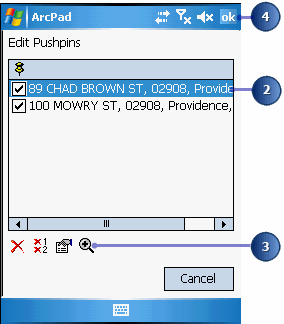
Tap an address in the list of pushpins.
Tap the Zoom In button at the bottom of the dialog box to zoom in to the selected pushpin.
The map appears, zooming in to the pushpin you selected.