Creating a transparent layer


Creating a transparent layer |
|
| Release 8 |
|
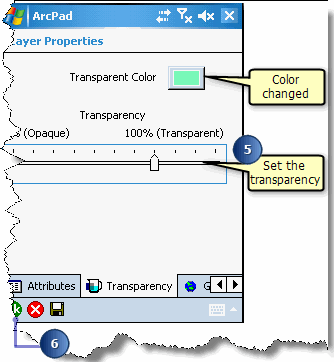
Giving a layer transparency is simple way of showing varying and overlapping information. This is crucial when you are displaying many layers in ArcPad on a small portable screen. Transparency is set for an entire layer in the Layer Properties dialog box.
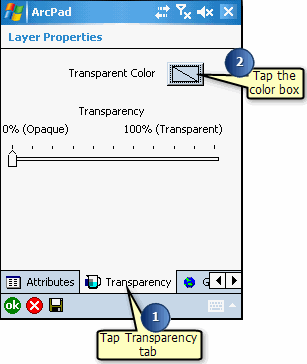
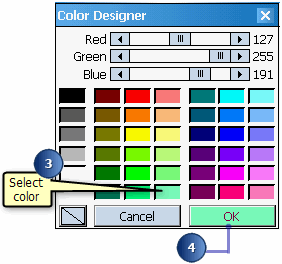
The Color Designer opens and displays a selection of colors.