Using the Identify tool on your query

Release 8 E-mail This Topic Printable Version Give Us Feedback

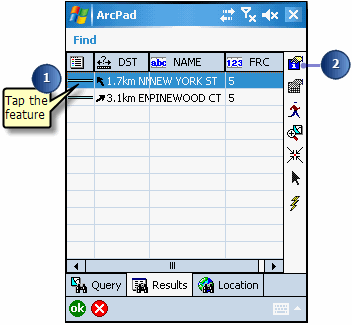
  1. Tap the feature you would like to find information about.

  2. Tap the Identify tool.

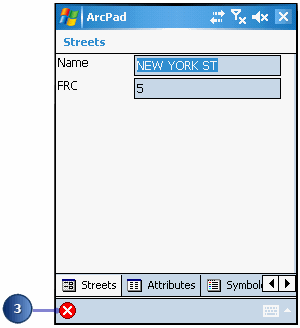
    ArcPad displays the Feature Properties dialog box for that feature or a custom form if it exists. You can simply view the information and not edit it.

  3. Tap X.

    ArcPad returns to the list of queried features.